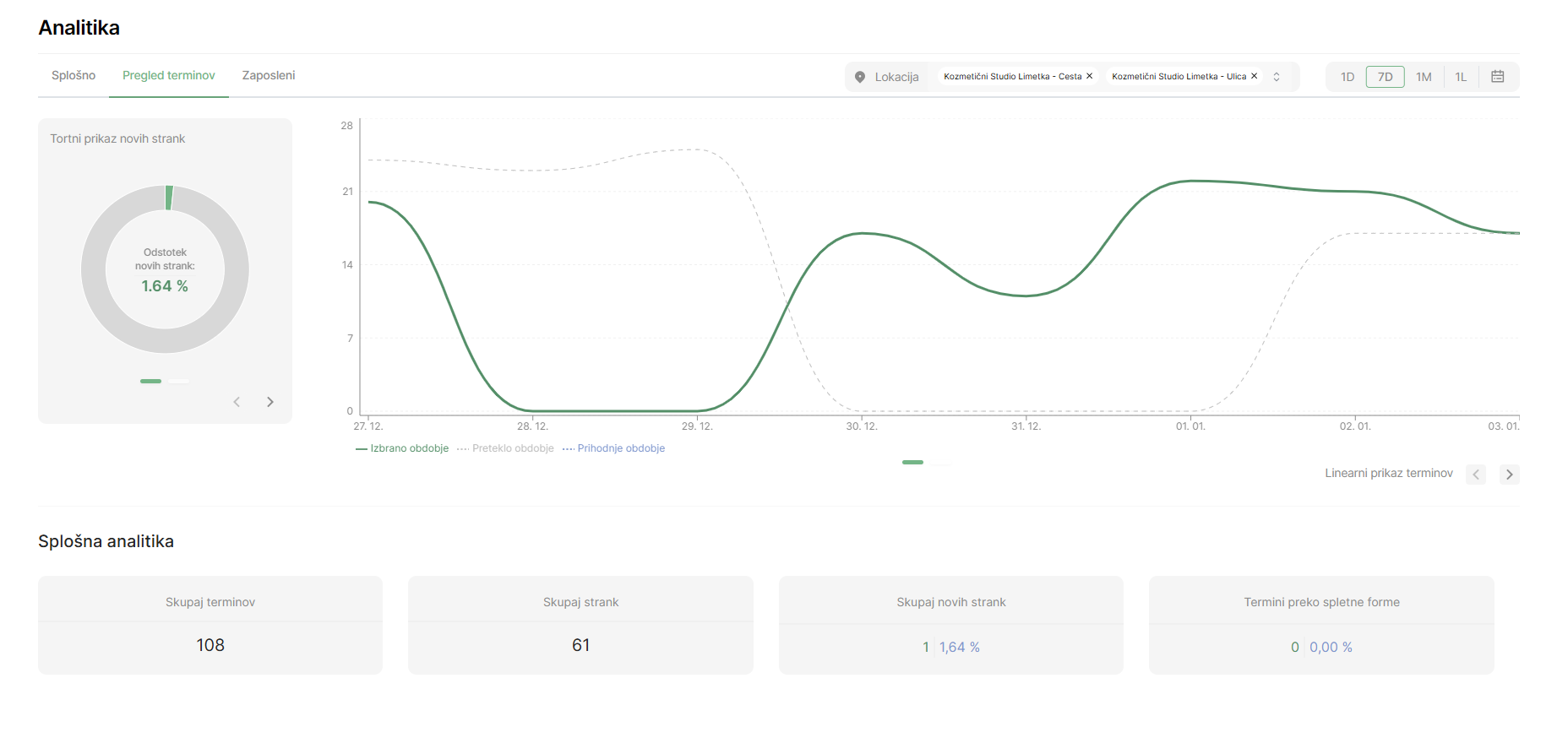
Appointment Overview
The appointment overview allows for the analysis of the number of bookings and customers within a specific time period. This data helps you track business volume, customer acquisition, and the performance of online booking.
1. Total Number of Appointments in the Selected Period
- The display of the total number of appointments provides insight into the volume of services performed within the selected timeframe.
- You can adjust the data based on time filters such as daily, weekly, monthly, or yearly reviews.
2. Total Number of Clients
- The overview of the total number of clients in the selected period includes:
- New Clients: Track how many new clients you have acquired during the period, a key indicator of business growth.
- Existing Clients: Review how many appointments were made by regular clients.
This breakdown helps you understand the balance between acquiring new clients and retaining existing ones.
3. Appointments Booked Through the Online Form
- Track how many appointments were reserved through the online form.
- Evaluate the performance of your online booking system and identify opportunities for improvements.
How to Use This Data?
- Optimize the Online Form: If the number of online bookings is low, consider improving the user experience on your website or the booking form.
- Acquiring New Clients: Focus on marketing campaigns to increase the number of new clients.
- Client Retention: Develop loyalty programs or special benefits for existing clients.
This overview allows for precise tracking of key business indicators and supports thoughtful decision-making for future growth and improvements.